Pinewood derby software for the whole race day
Check in racers, build fair heats, read the track timer and put live results on every TV in the gym, all from one browser tab.
Free for 2 races a year. No card needed.
From weigh-in to trophies
One tool for the whole morning, in the order the morning goes. These are pictures of DerbyScheduler running a sixteen-car race for a pack we made up.
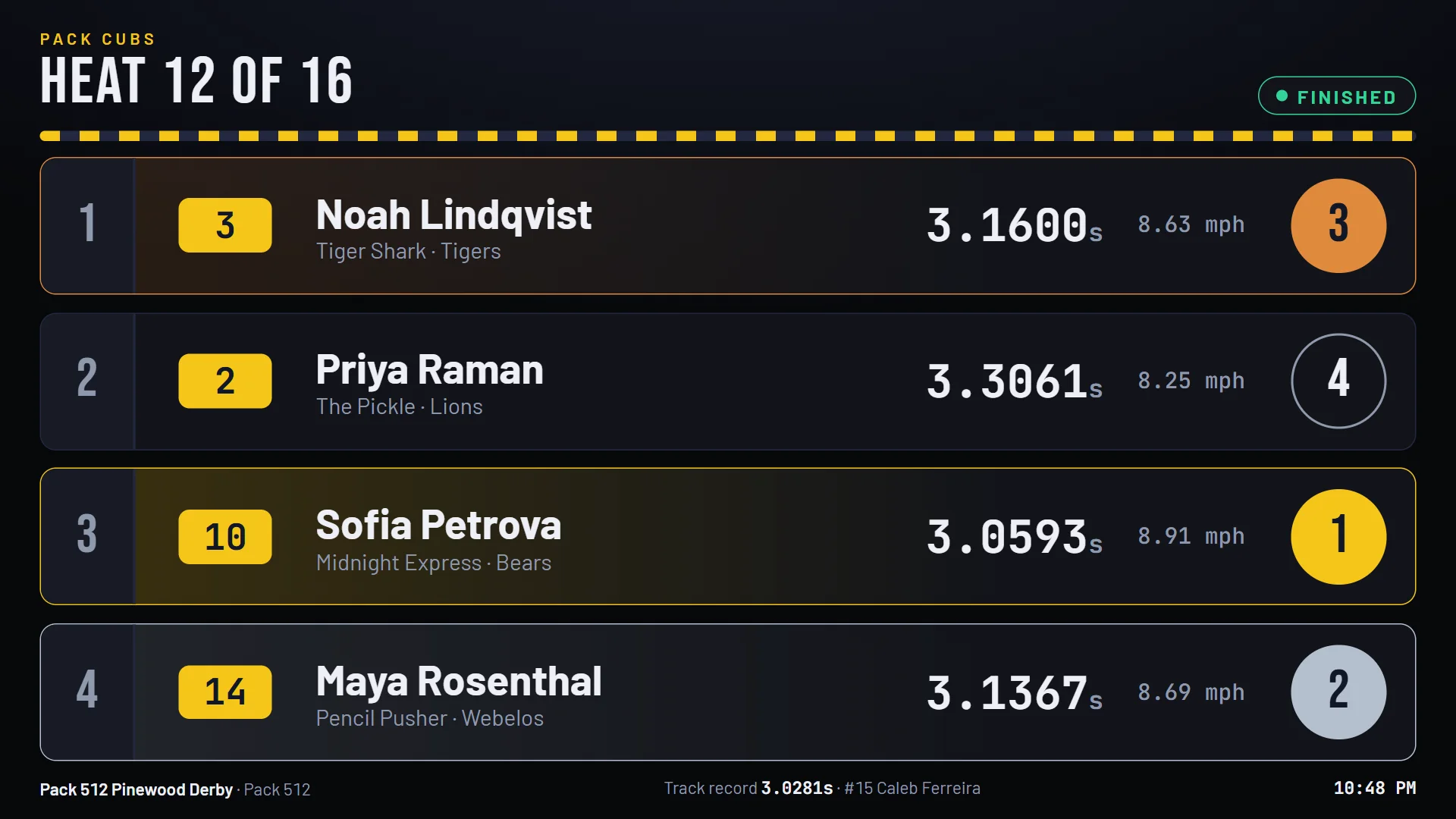
Check in every car
Add racers as they arrive, or load the whole pack ahead of time from a spreadsheet or from last year’s roster. Car numbers fill themselves in, and the weigh-in goes on the same line.
- Dens and ranks as divisions, each with its own podium
- Siblings and parents race in a class of their own, on the same day
- Room for more than 100 racers in a class
Run heats straight from the timer
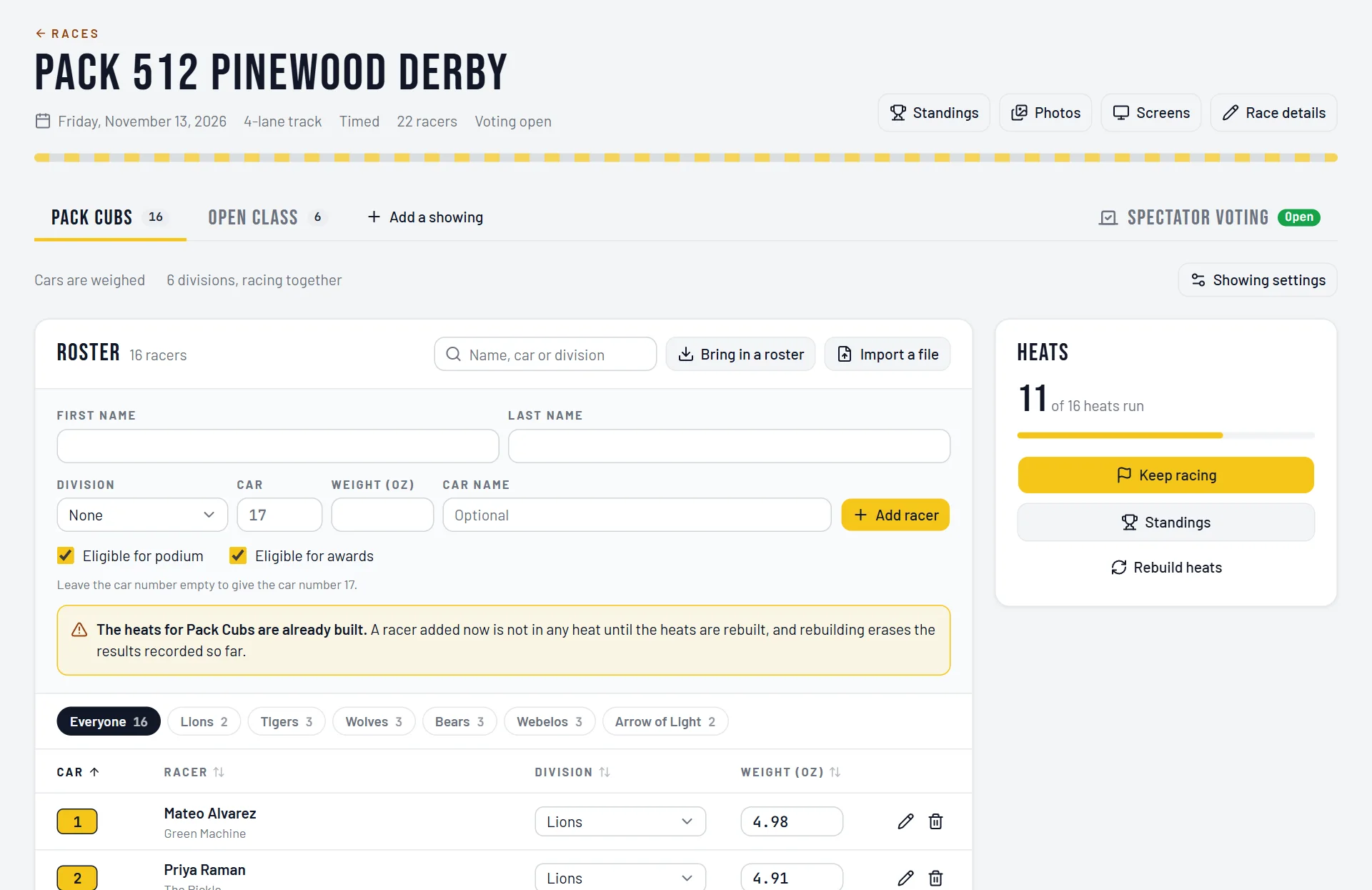
DerbyScheduler lays out a chart where every car runs once in each lane, then reads your track timer over USB as each heat finishes. The race master view keeps the heat, the next one up, the standings and each lane’s average in front of you.
- Tracks with 2, 3, 4, 5, 6 or 8 lanes
- No timer? Score each heat by finishing place
- Close a lane that is acting up and rebuild the heats around it
Put the race on every TV
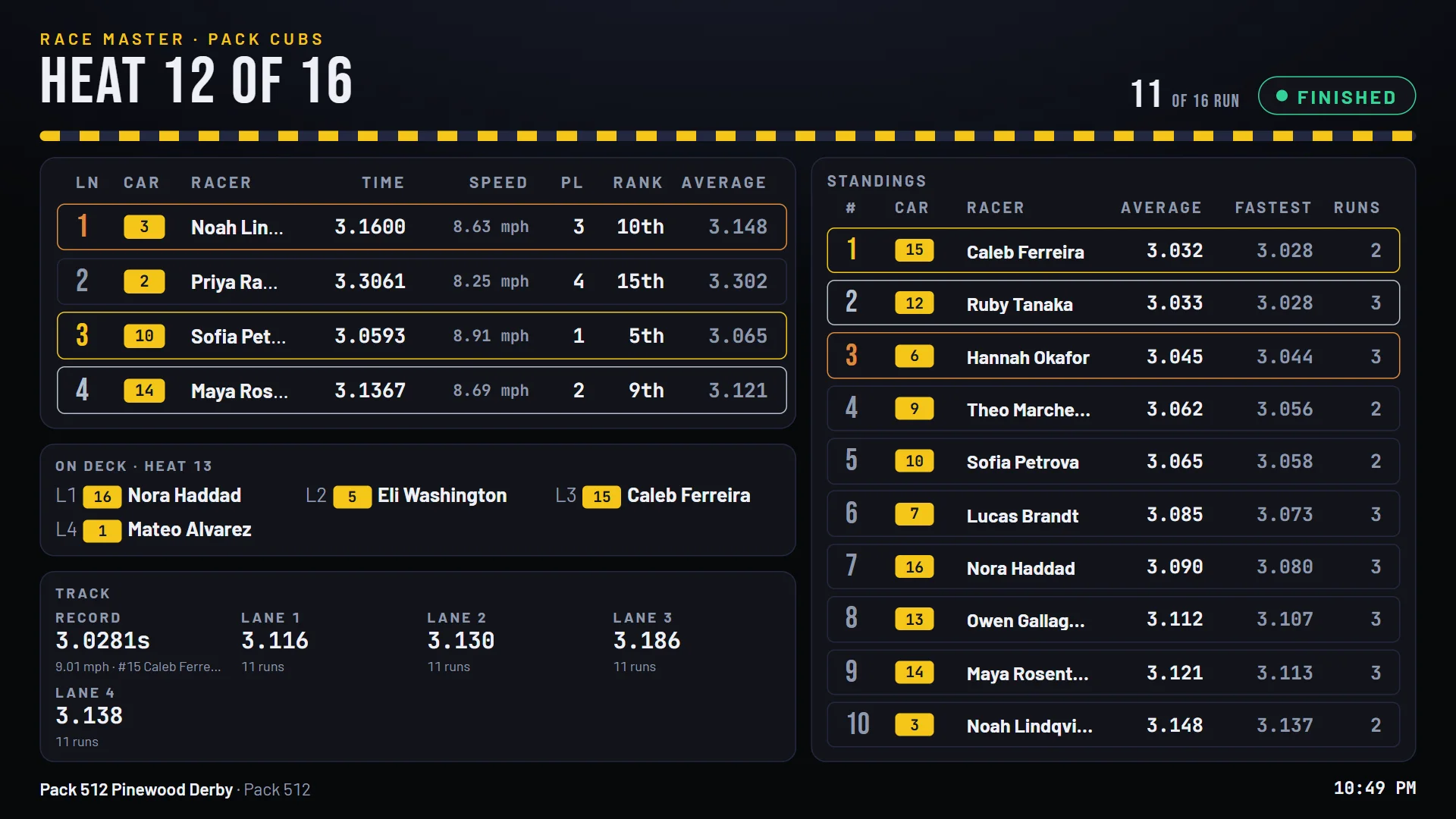
Open derbyscheduler.com/tv on a TV, a projector or a spare laptop and type the code it shows into your race. Each screen shows what you pick for it and changes the moment a heat finishes.
- Now racing, on deck, standings and results by racer
- A welcome screen, a message for the lunch break, an award reveal
- Up to 20 screens for one race
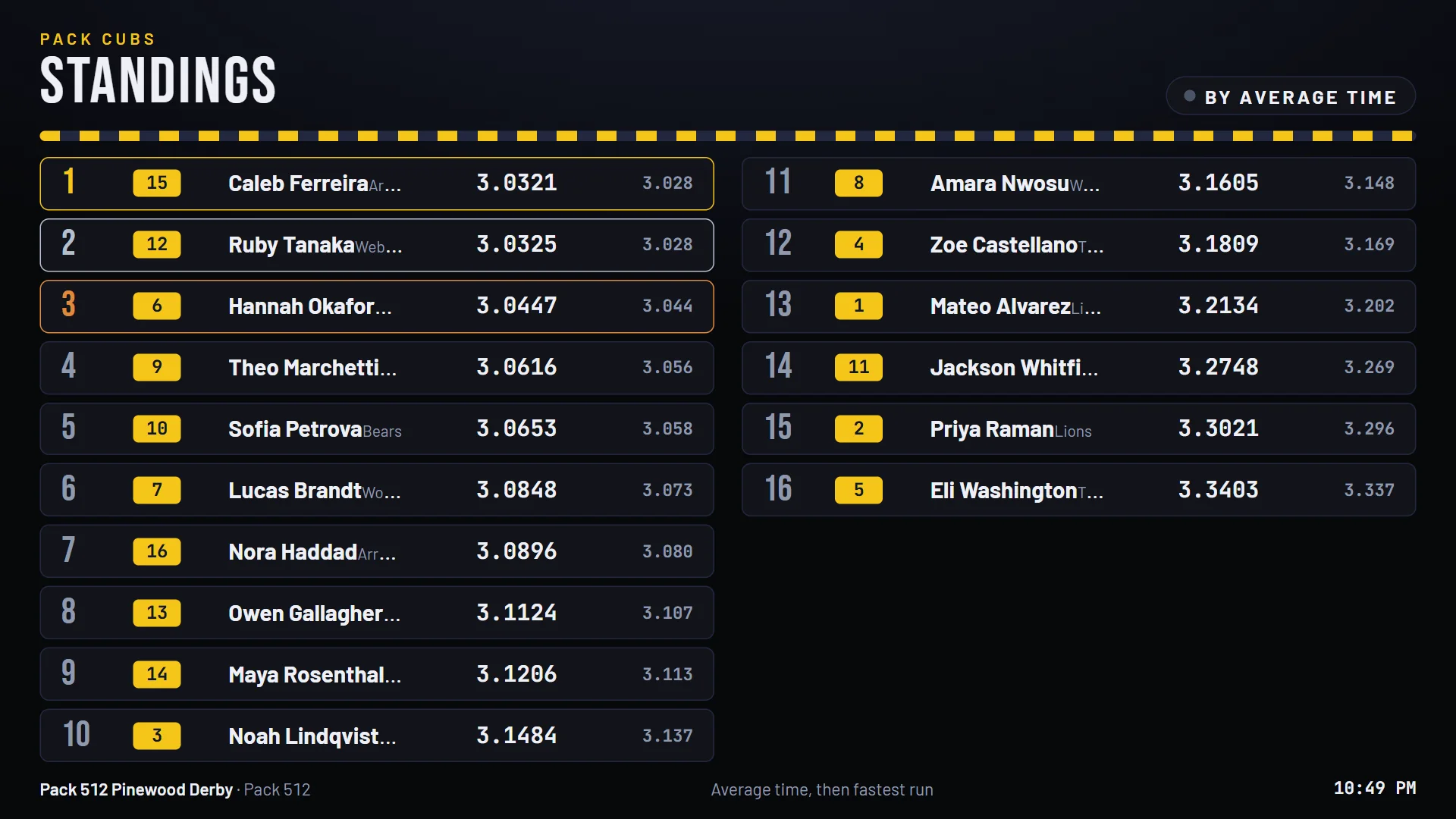
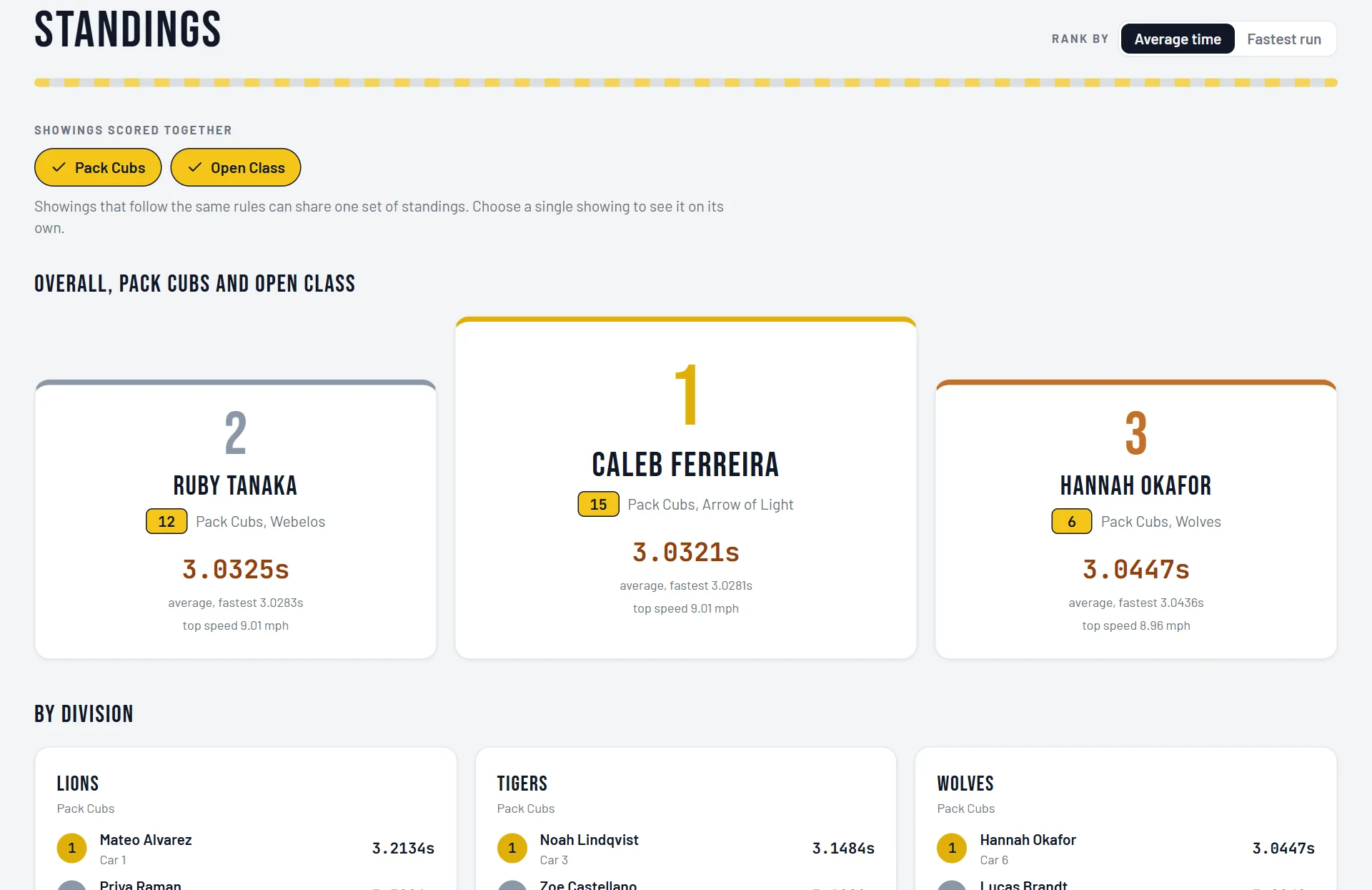
Hand out trophies with the numbers behind them
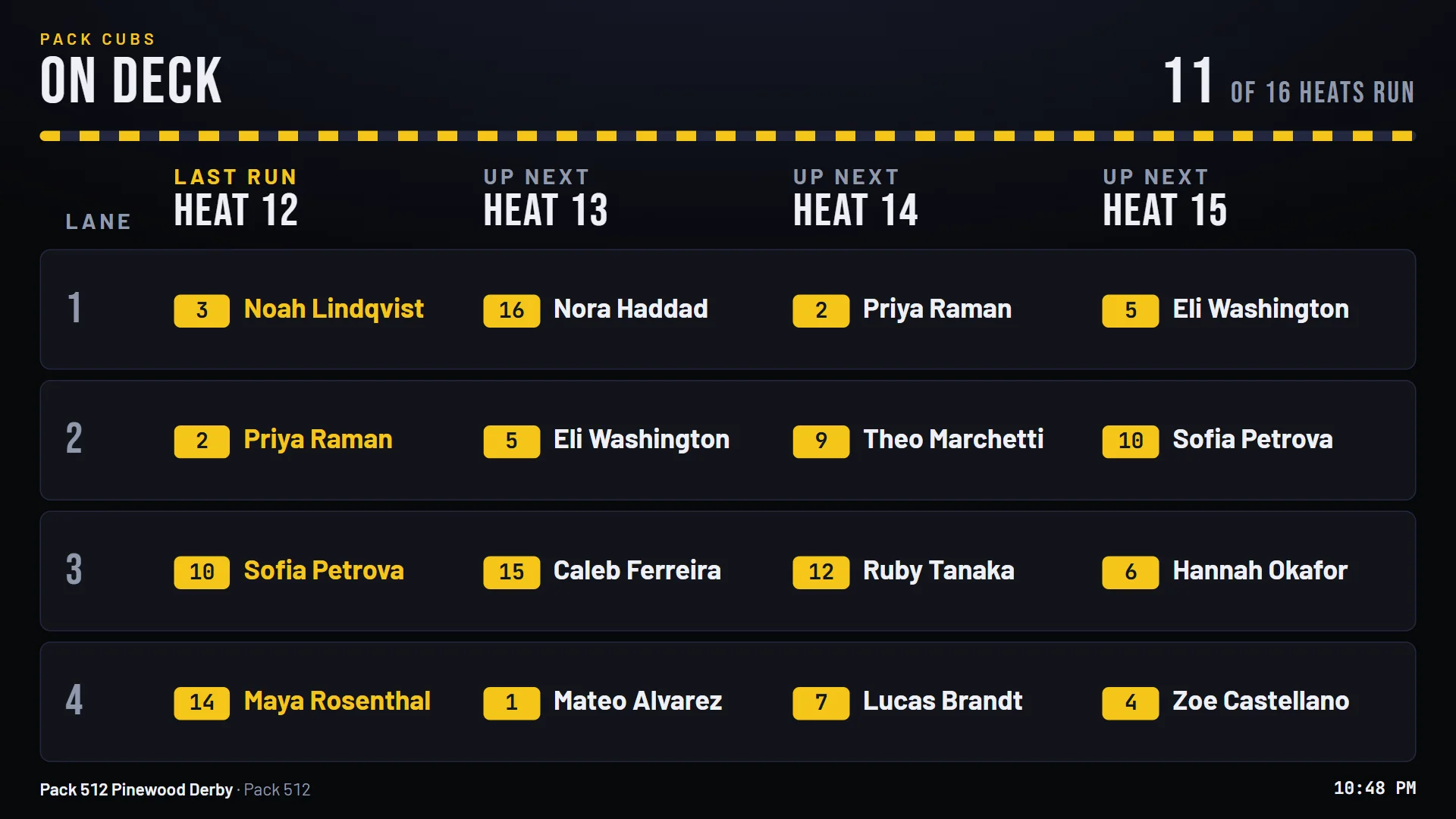
Standings rank by average time or by fastest run, for the whole race and inside each division. A track check compares the lanes, so a lane that runs slow shows up before anyone has to ask.
- A podium for the race and one for every division
- Every run and the top speed of each car
- Guest cars can race without taking a trophy
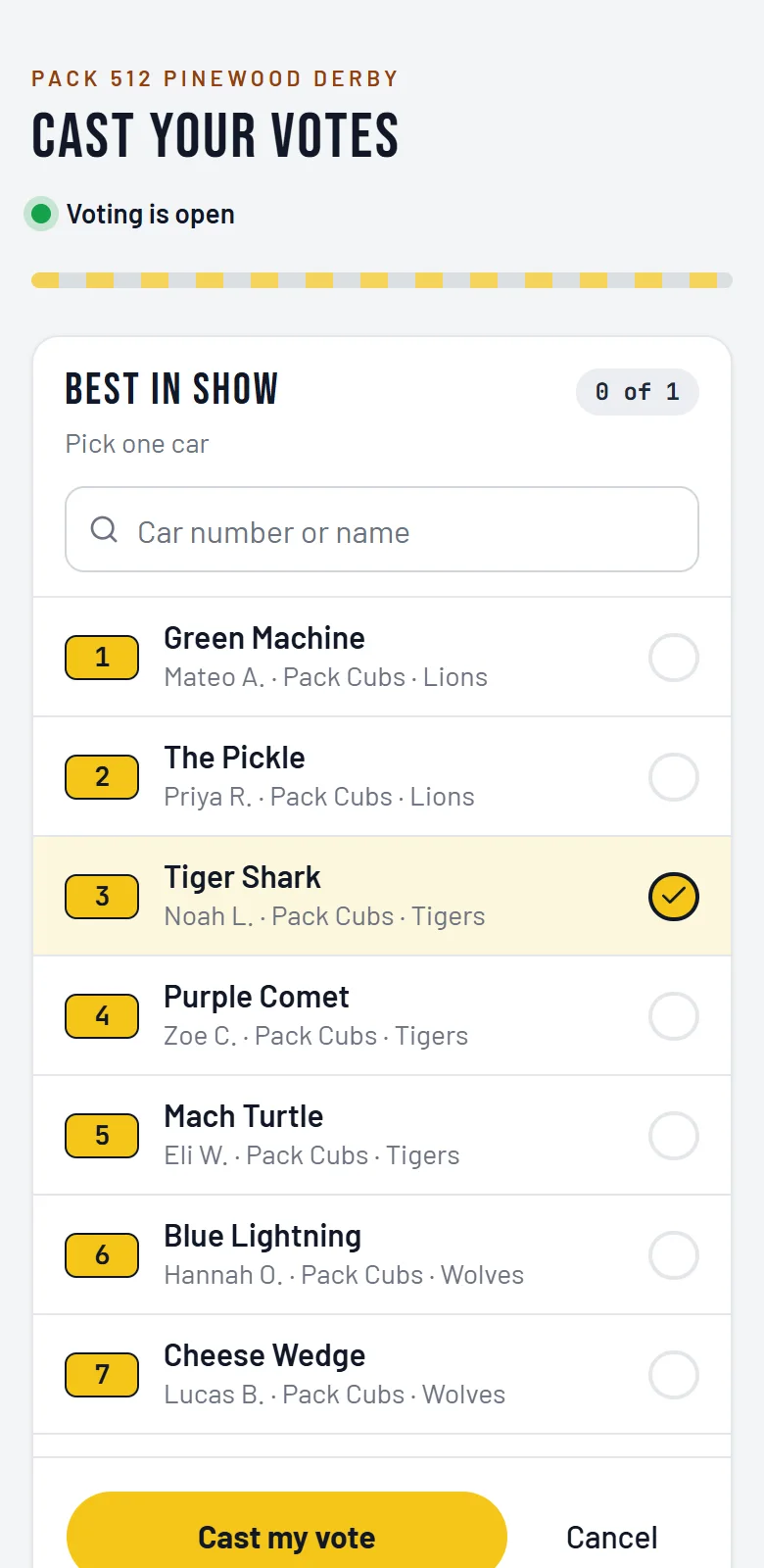
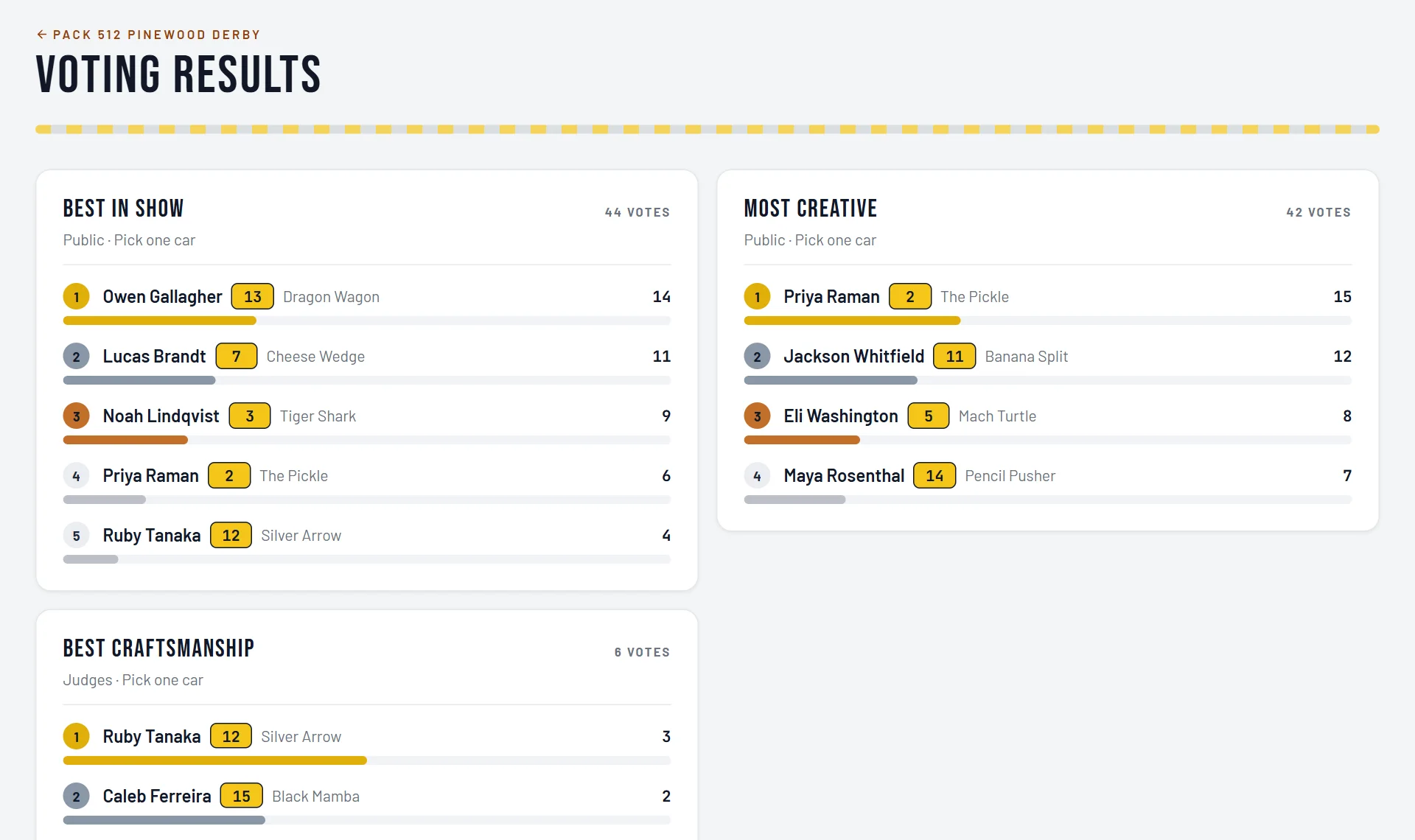
Let the room pick its favorites
Print a QR code for each car. Spectators scan it and vote from their phone, with no app to install and no account to make. Judges get a link of their own for the awards that are theirs to decide.
- Your own awards, with one pick each or several
- Voting opens and closes when you say, or at a set time
- Reveal each winner on the big screen
The details that matter at the track
- Works with the timer you have
- FastTrack, The Champ, The Judge, NewBold, Derby Timer, PDT, Derby Magic and more, found on their own once plugged in.
- Rounds instead of a chart
- Draw each round from the standings so far, so the fastest cars meet each other at the end.
- Several classes in one race
- Pack, siblings, adults and outlaws each get their own roster, rules and heats.
- Rosters from a spreadsheet
- Fill in the template and upload it. Anything wrong is listed by row before a single racer is saved.
- Help at the table
- Invite other leaders by email. Each one checks in racers and runs heats from their own account.
- Readable in a dark gym
- Light and dark themes for the laptop at the track, and screens built to be read from the back row.
Which race methods find the fastest car?
With a timer, cars are ranked on their times and either method names the same winner. Scored by finishing place, it comes down to who each car gets to race. We ran both methods through 2,000 simulated races for each field on a 4-lane track and counted how often the right cars came out on top.
| Perfect N Rotation | Generated From Placements | |||
|---|---|---|---|---|
| Run once 4 heats a car | Run twice 8 heats a car | Run once 4 heats a car | Run twice 8 heats a car | |
| 10 cars | 100% | 100% | 100% | 100% |
| 15 cars | 93% | 100% | 100% | 100% |
| 20 cars | 78% | 100% | >99% | 100% |
| 30 cars | 55% | 65% | >99% | 100% |
| 40 cars | 45% | 60% | >99% | 100% |
| Perfect N Rotation | Generated From Placements | |||
|---|---|---|---|---|
| Run once 4 heats a car | Run twice 8 heats a car | Run once 4 heats a car | Run twice 8 heats a car | |
| 10 cars | 83% | 100% | 47% | 86% |
| 15 cars | 71% | 97% | 45% | 96% |
| 20 cars | 31% | 85% | 47% | 95% |
| 30 cars | 10% | 15% | 36% | 92% |
| 40 cars | 5% | 12% | 22% | 90% |
- 15 cars or fewer
- Run Perfect N Rotation twice. The fastest car won every race, and the top three came out right at least 96 times in 100.
- 20 cars or more
- Run Generated From Placements twice. The fastest car won every race, and the top three came out right at least 90 times in 100.
- Time for only four heats a car
- Generated From Placements, run once, still put the fastest car first in 99 races out of 100 at every size. Second and third place are less sure.
Simulated with the heats DerbyScheduler builds. Perfect N Rotation is Stan Pope’s Partial Perfect-N chart, set before racing starts; Generated From Placements draws each round of heats from the standings so far. A run is every car racing once in every lane. Every car ran at its true speed in every heat, so a wrong result comes from the heats and not from luck. A heat gave 3 points for first, 2 for second and 1 for third.
Free to race. $20 a year to keep it all.
Everything it takes to run a race is free. The Yearly plan, for a pack, a troop or any other group, puts the race on every TV in the room, lets spectators vote from their phones, adds photos, keeps every race and compares one year with the next.
| Free$0for as long as you like | Yearly$20a year, free for the first 30 days | |
|---|---|---|
| Races each calendar year | 2 | Unlimited |
| How long a race is kept | 6 months after race day | While you have the plan |
| TVs and projectors showing a race | 1 screen | Up to 20 |
| Spectators vote from their phones by QR code | Not included | Included |
| Replays of each heat, recorded by a phone or a webcam, played on your screens and stepped through a frame at a time | 1 camera; one replay kept for each race, for 30 days | Up to 4 cameras; every replay kept |
| A gallery of race day: your photos and videos, and photos from spectators’ phones | Not included | 5 GB, photos at full size if you like |
| Year-over-year statistics | Not included | Included |
| Pictures of cars and racers | Included | Included |
| Check-in, heats, timers, standings and awards voted on by judges | Included | Included |
| Each race’s racers, lanes and results downloaded as a spreadsheet (CSV) | Included | Included |
| Start on Free | Try Yearly free |
Every account starts on Free, and signing up takes no card. A team can try the Yearly plan once, free for 30 days, also with no card. Prices are in US dollars.
Questions before race day
Which track timers does DerbyScheduler work with?
FastTrack K, Q and P series, The Champ (SmartLine and BestTrack), The Judge, NewBold DT, TURBO and DerbyStick, Derby Timer, PDT, Derby Magic, Bert Drake, JIT Racemaster and Super Timer II. Plug the timer into the computer at the track by USB and DerbyScheduler finds it and reads each heat as it finishes. Reading a timer needs Chrome or Edge on a laptop or desktop.
Can I run a pinewood derby without a timer?
Yes. Set the race to score by finishing place: you record who came first, second and third in each heat, and each place earns the points you choose. You can also type times in by hand.
How are the heats made fair?
Heats are laid out on a lane rotation chart, so every car runs once in every lane and no car is helped or hurt by a fast or slow lane. If you would rather race in rounds, each new round can be drawn from the standings so far, so cars meet others of about the same speed. A lane that is acting up can be closed and the heats rebuilt around it.
How do I put results on the TVs in the room?
Open derbyscheduler.com/tv in the browser of any TV, projector or spare laptop. It shows a short code; type that code into your race and the screen is yours. Each screen can show the heat on the track, who is on deck, the standings, a photo slideshow, the voting code or an award reveal, and it changes the moment the race does. The Free plan shows a race on one screen; the Yearly plan on up to 20.
Do spectators need an app or an account to vote?
No. They scan the QR code beside a car, or the one for the whole race, and vote in their phone’s browser. You choose the awards, how many cars each person may pick, and when voting opens and closes. Voting by spectators comes with the Yearly plan; awards voted on by judges, with their own link, are part of every plan.
Does it need an internet connection on race day?
Yes. DerbyScheduler runs in the browser, so the computer at the track and each TV need to be online. Venue Wi-Fi or a phone hotspot is enough.
What do I get for free, and what happens after six months?
The Free plan runs a complete race: check-in, heats, timing, standings, pictures of cars and racers, a TV screen, a replay of each heat from a phone or a webcam, and awards voted on by judges, for 2 races in a calendar year. A race and its results are kept for 6 months after race day and then deleted; we email you 14 days before that happens. The Yearly plan, $20 a year for each pack, troop or group, keeps every race for as long as the plan is active, shows a race on up to 20 screens, lets spectators vote from their phones by QR code, keeps every heat’s replay where the Free plan keeps one for each race, records from up to 4 cameras, adds a race-day gallery for your photos and videos and for photos from spectators’ phones, with 5 GB of storage, and year-over-year statistics, and has no limit on races.
How do I pay for the Yearly plan, and can I cancel?
Sign up, open Billing from the menu under your name and choose the Yearly plan. A team can first try the plan free for 30 days, once, with no card; it then returns to the Free plan unless you carry on. Payment is by card on a page run by Stripe, and the plan renews each year. You can cancel from the same Billing page at any time: the plan stays active until the end of the year you paid for, and payments are not refunded for part of a year. When a plan ends, nothing is deleted for 30 days; after that the Free plan’s 6-month rule applies to the team’s older races and their photos.
Is it only for Cub Scout pinewood derbies?
No. Any gravity race on a track with two to eight lanes works the same way: Awana Grand Prix, Royal Rangers and Trail Life derbies, Girl Scout powder puff derbies, school and church races, and sibling or adult open classes run alongside the main event.
Can more than one person run the race?
Yes. Invite other leaders to your pack by email and they can check in racers, run heats and manage screens from their own account.
Set up your race tonight
Make an account, enter a few cars and build the heats. You will see the whole thing work before race day.